
You need the "Owner" role in order to access Organisation Settings and enable invoicing.
Before you can create a business entity, invoicing must be enabled for your organisation. Enabling invoicing unlocks the ability to configure business entities, generate invoices, and send them to customers. Follow the steps below to get started.
How to Enable a Business Entity
Step 1: Switch to the Organisation Profile
First, you need to switch to your organisation profile from the team selector.
Step 2: Go to the Settings Page
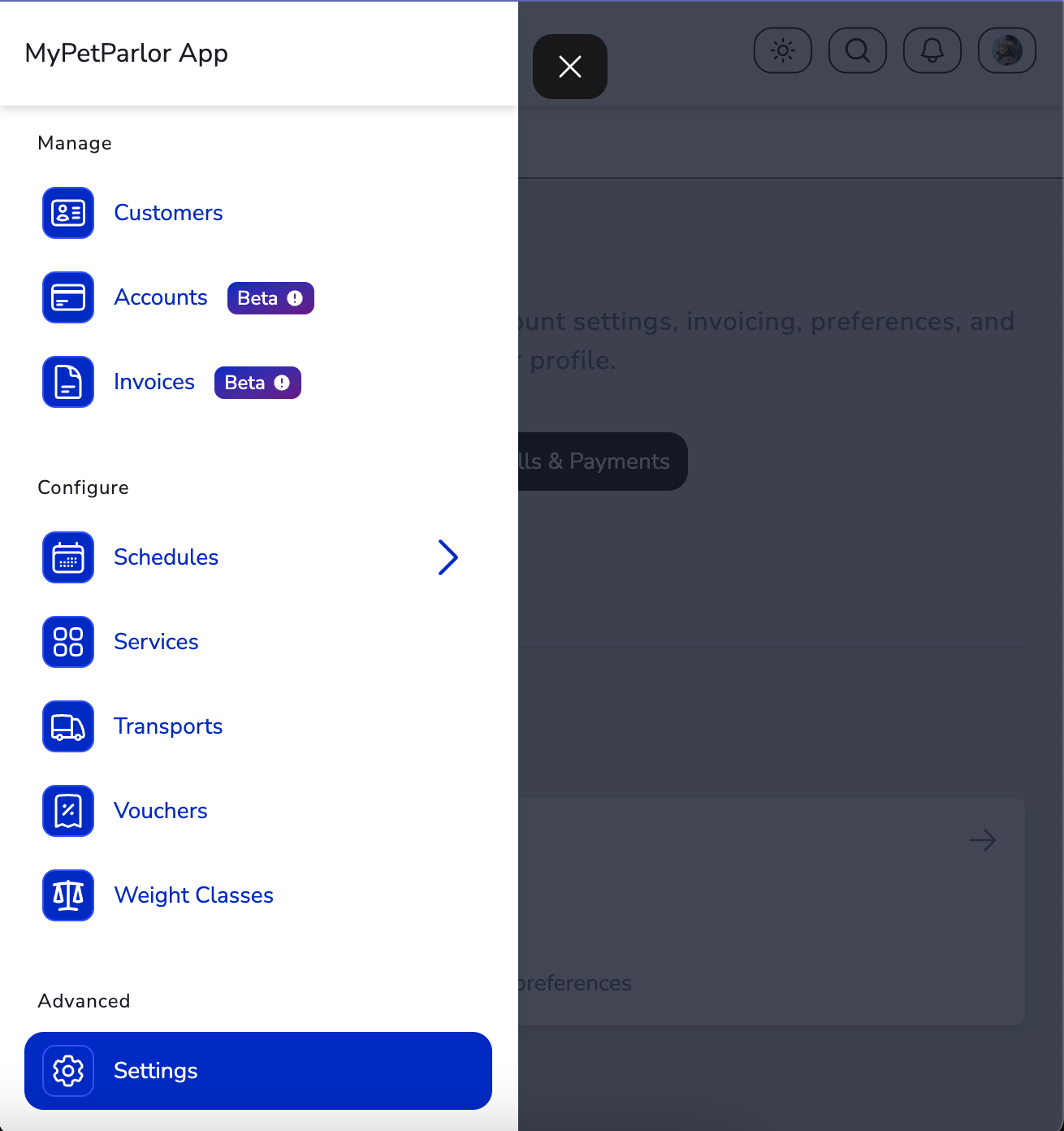
Click Settings in the bottom-left of the sidebar, or click your profile picture and select Settings.
Step 3: Go to Organisation Settings
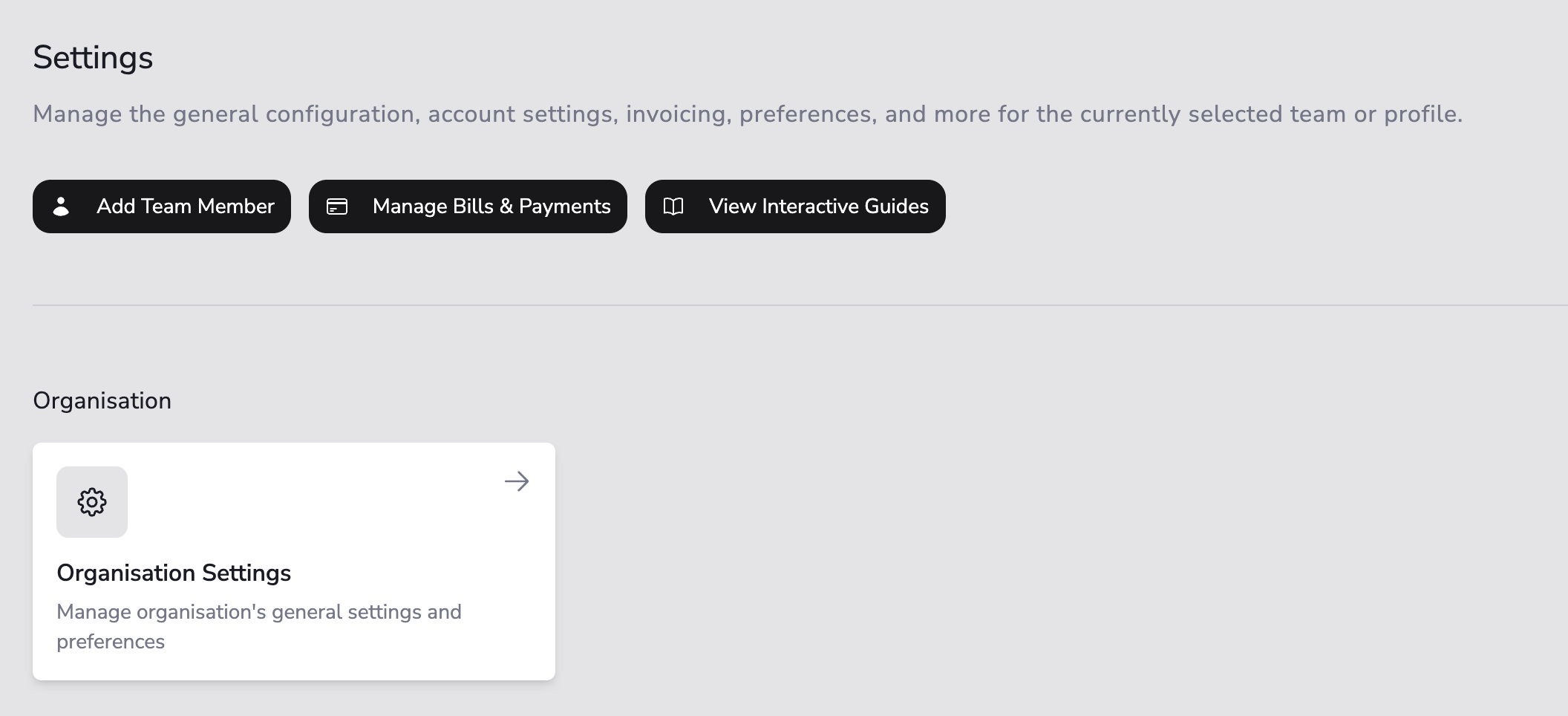
From the Settings page, navigate to the Organisation settings section.
Step 4: Enable Invoicing
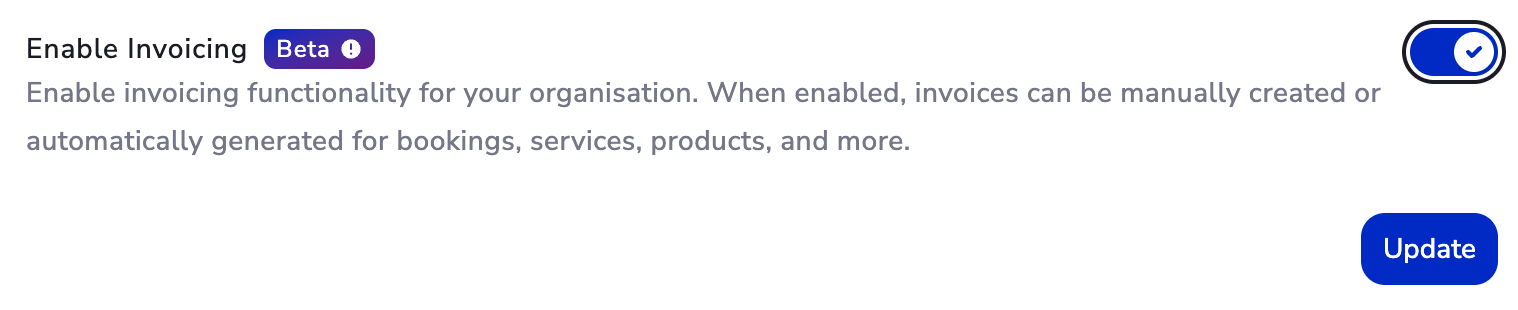
Scroll down until you find the Enable Invoicing option. Click the Update button to enable invoicing for your organisation.
Once updated, invoicing will be enabled and you can start creating your business entity.